
503-488-2008
Our Location
- 1310 NW Naito Pkwy #112
- Portland, OR 97209
- Map + Directions
This guide provides a straightforward method for managing multiple community account access, making it easier for users involved in various associations to streamline their login process. By following the steps outlined, individuals can create a Master Login that consolidates their accounts, enhancing convenience and efficiency. It’s an essential resource for anyone looking to simplify their community interactions and access multiple accounts seamlessly.
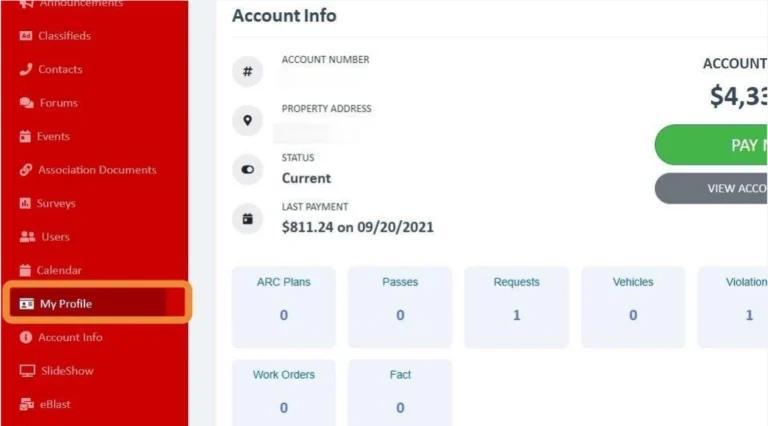
Click "My Profile"
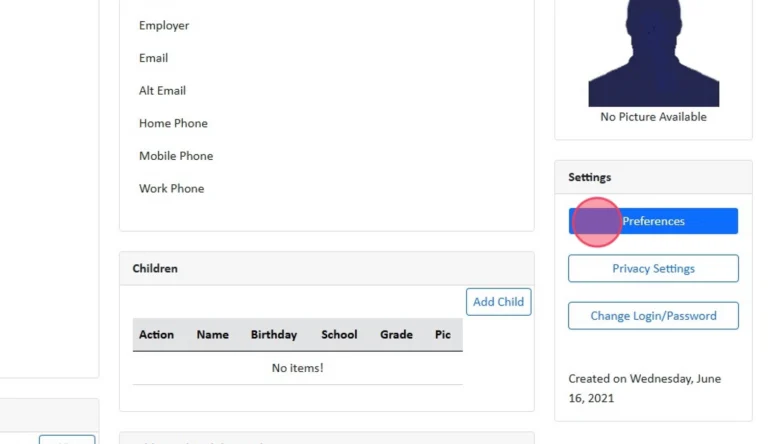
Click "Preferences"
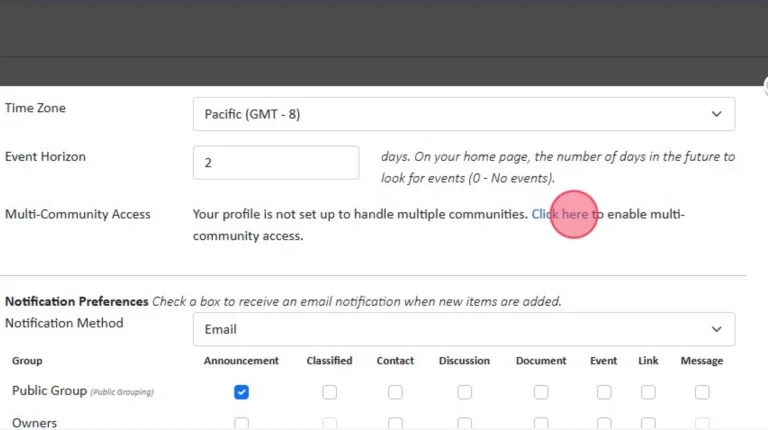
Click "Click here" next to Multi-Community Access
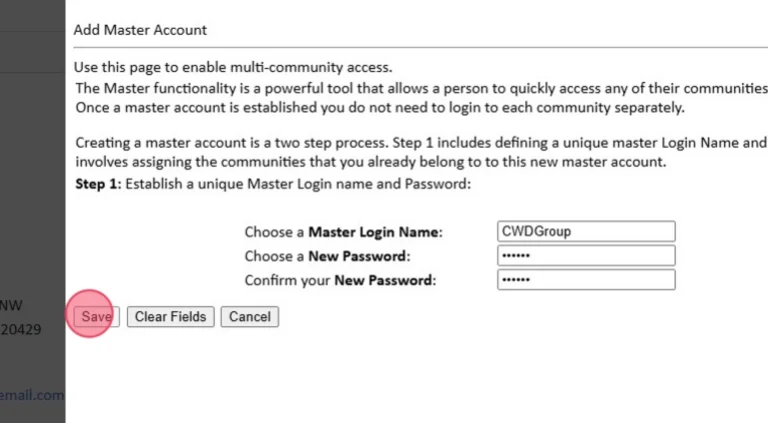
Create a Master Login
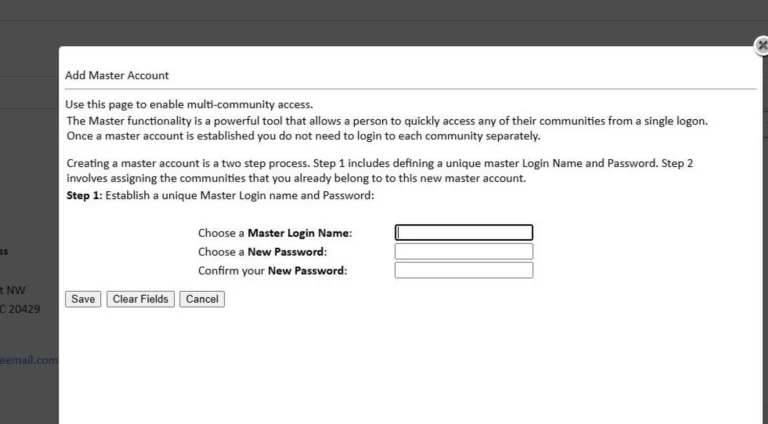
Click "Save"
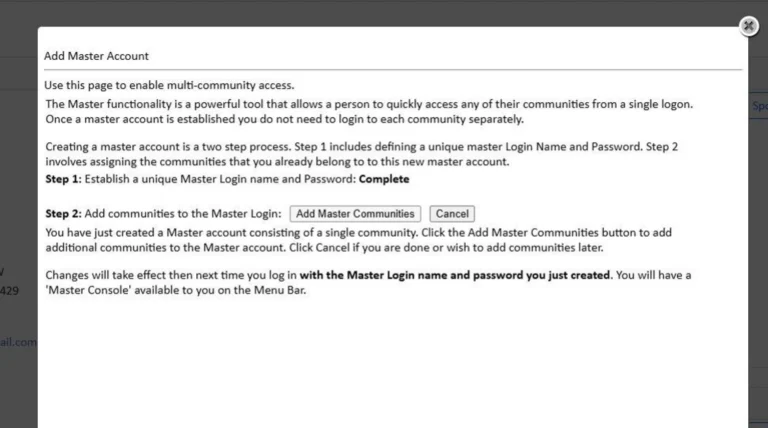
Click "Add Master Communities"
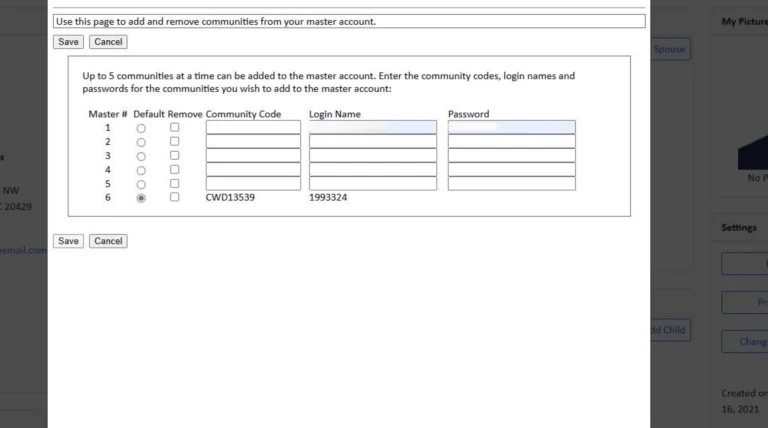
Add in each of the associations you belong to (or each unit account's login and account ID). Then click Save.
CWD Group understands your association’s needs better than anyone. We offer full-service community management in Oregon and Southern Washington.
Take the first step towards successful community management. Submit a request for proposal, and we will reach out to you for more information.