
503-488-2008
Our Location
- 1310 NW Naito Pkwy #112
- Portland, OR 97209
- Map + Directions
This guide provides instructions on how homeowners can edit their profile and privacy settings on the homeowner portal. It emphasizes the importance of maintaining up-to-date contact information and explains how to make changes to personal details. Additionally, it highlights the significance of reviewing and modifying privacy settings for engaging with the community. This guide is useful for homeowners who want to manage their contact information and preferences efficiently on the portal.
Owners need to maintain current contact information on file with the Association. This includes information such as: Name, Mailing Address, Off-site Address, Phone Number, Email Address, Renter’s Name, Renter’s Phone Number, Renter’s Email Address, Lease Dates, Power of Attorney if applicable, Vehicle information if applicable
Owners may update their contact information through their eUnify Owner Portal.
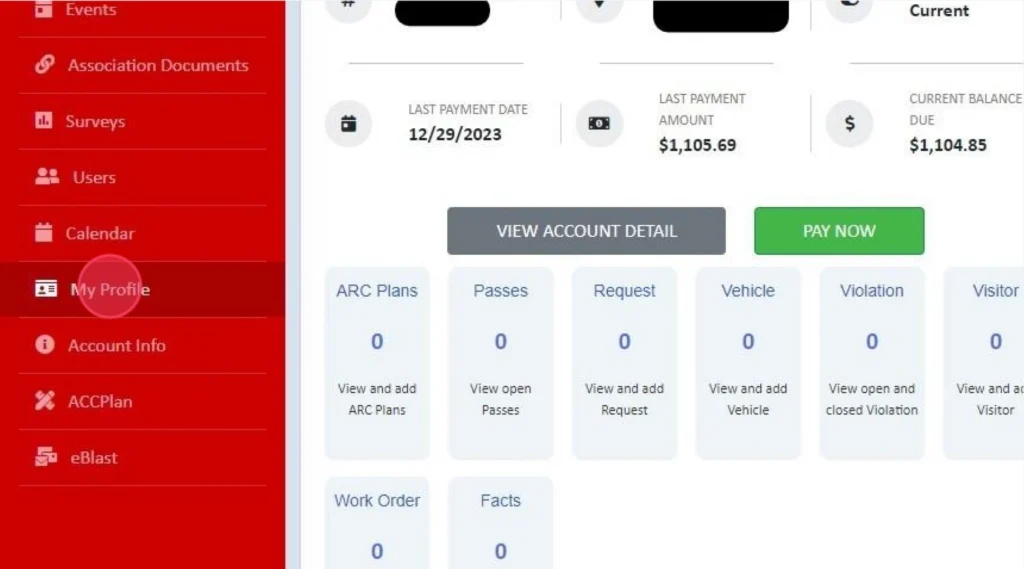
Within the Owner Portal, using the red left side panel, select “My Profile”
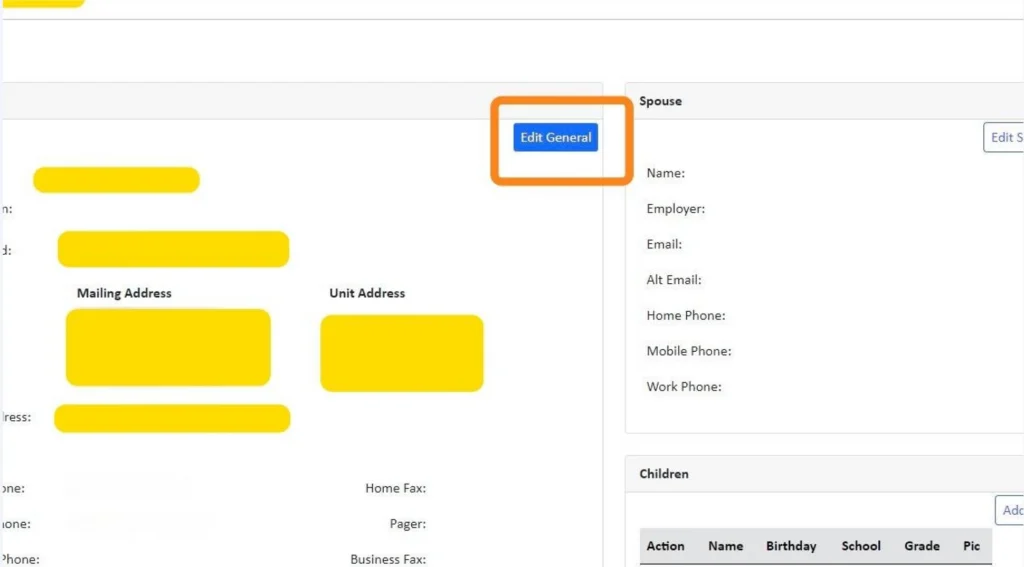
Upon selecting "My Profile" you will see the contact information we currently have on file for you. Please update your information accordingly using the Edit button in the upper right-hand corner. This will automatically sync with our system.
Please note, If you are updating your phone number and need that to be reflected on a callbox or other entry system, please contact your manager directly as this is completed through another process.
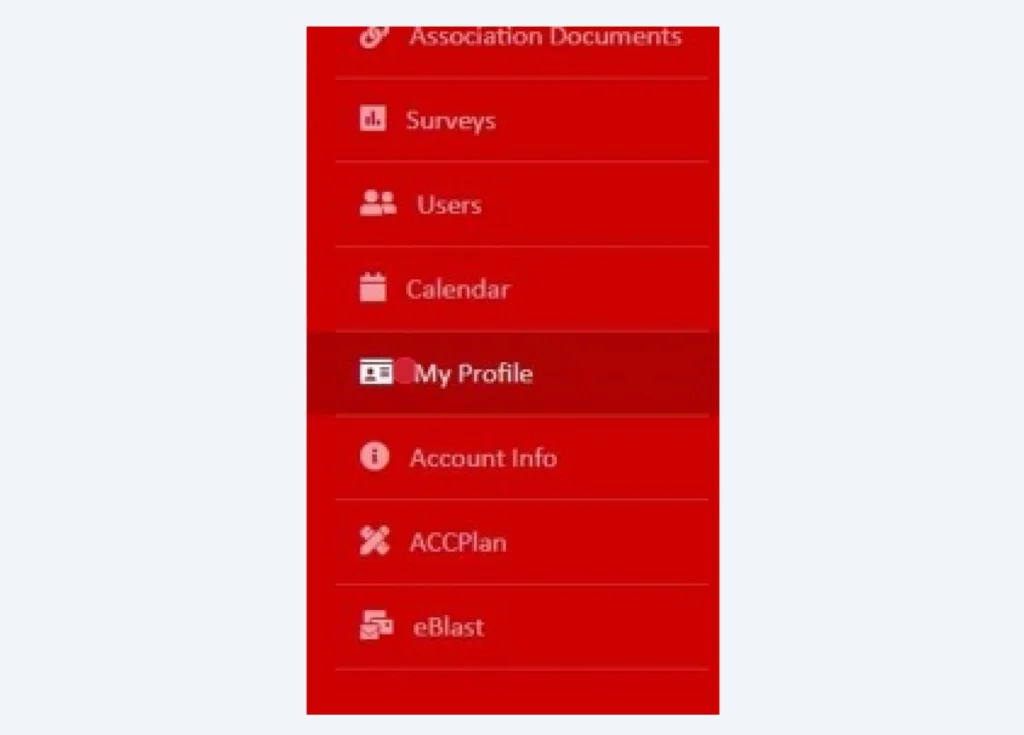
After making changes , to navigate back, select "My Profile" on the left panel.
If your community uses the portal to conduct surveys, forums, or other means to engage with one another, it is important that each owner reviews and modifies their Profile Preferences & Privacy Settings.
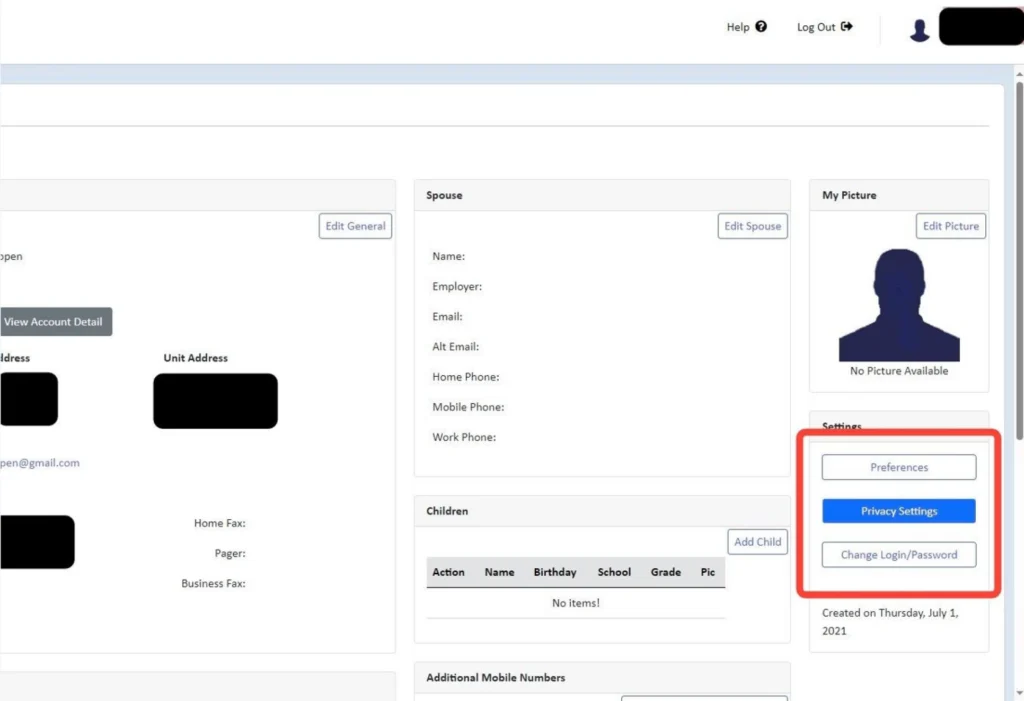
Preferences and/or Privacy Settings are located on the screen's right side.
Preferences will allow you to adjust your time zone, multi-community access and notification preferences. Want to receive both Text & Email, or just Email; this is where you would modify that.
Own at multiple communities managed by CWD Group? Set up a master account through your Preferences to display all of your community information under one login.
Privacy Settings will allow you to hide your information from other homeowners or opt into the directories where other owners can find you. If you want to hide your email you will need to click both the Hide Email & Hide SMS Email.
CWD Group understands your association’s needs better than anyone. We offer full-service community management in Oregon and Southern Washington.
Take the first step towards successful community management. Submit a request for proposal, and we will reach out to you for more information.