
503-488-2008
Our Location
- 1310 NW Naito Pkwy #112
- Portland, OR 97209
- Map + Directions
The Classifieds feature may not be applicable, enabled, or displayed on your homeowner portal. If you wish to use it, please first communicate with your board
and manager.
This guide reviews how to post a classified ad and how to embed photos into the description for a better display.
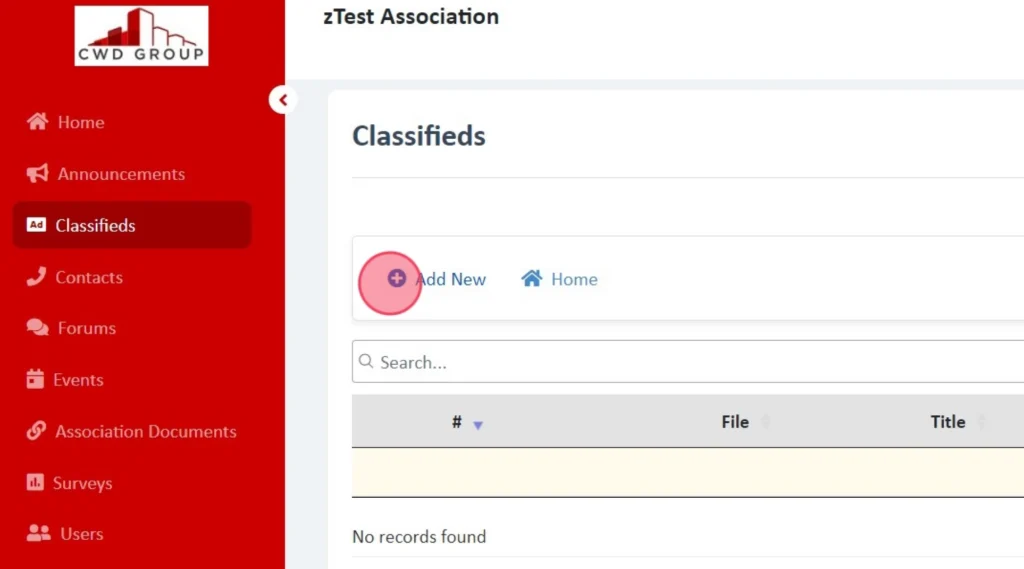
Using the left panel click "Classifieds" then click "Add New"
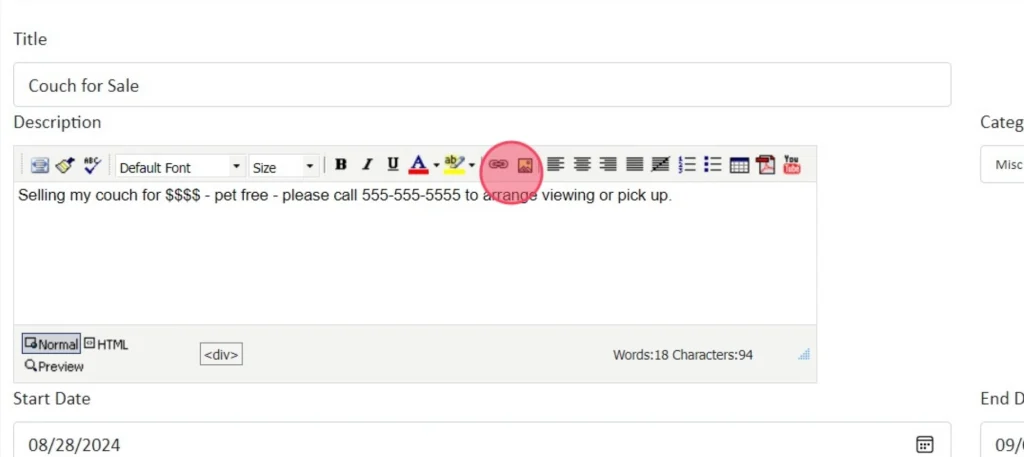
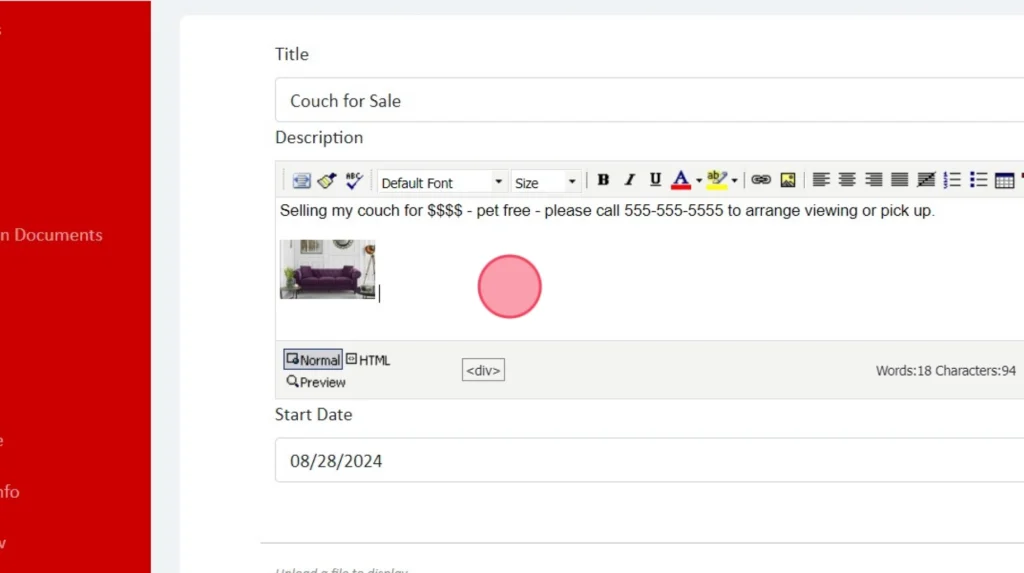
Update the title and description of the item. Be sure to include your contact information because this is not necessarily a forum to have back and fourth communications.
In the upper toolbar above the description, click the image button to embed the image directly into the description.
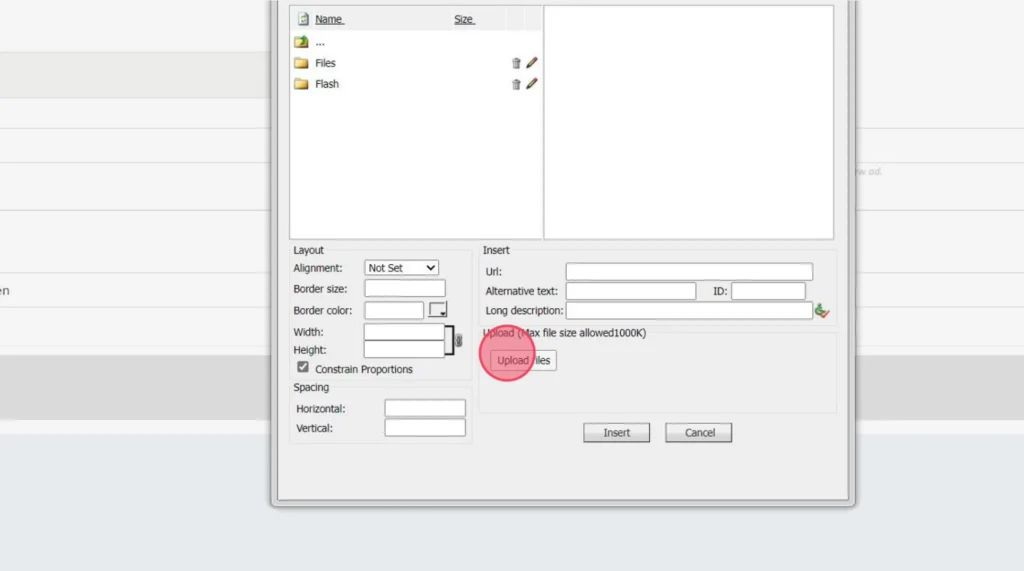
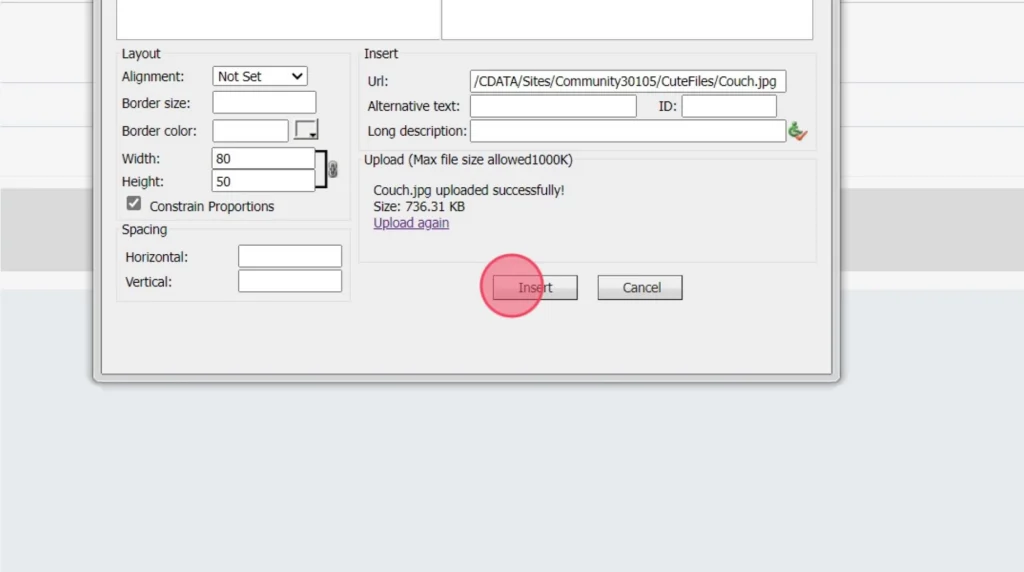
A secondary window will pop up, using the Upload Files button, please select the image to be included in the description.
The file size must be less than 100 KB and we recommend using a jpeg format.
The image typically loads very large so we recommend altering the height to a smaller more reasonable number such as 50. The width will automatically update based on the height.
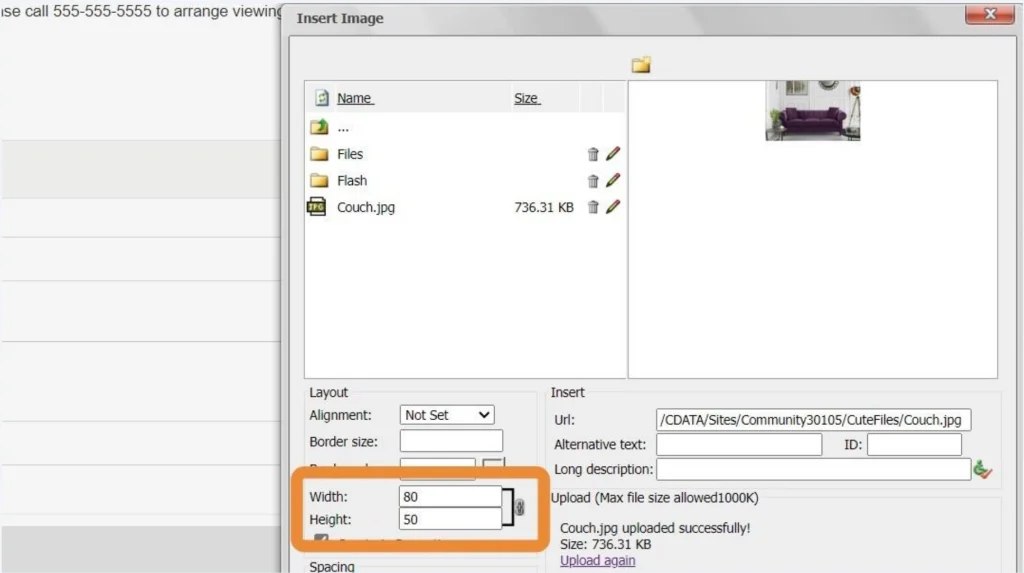
Click "Insert"
Review your posting before saving.
The ad will archive itself and no longer display after 10 days, unless the user updates the date field.
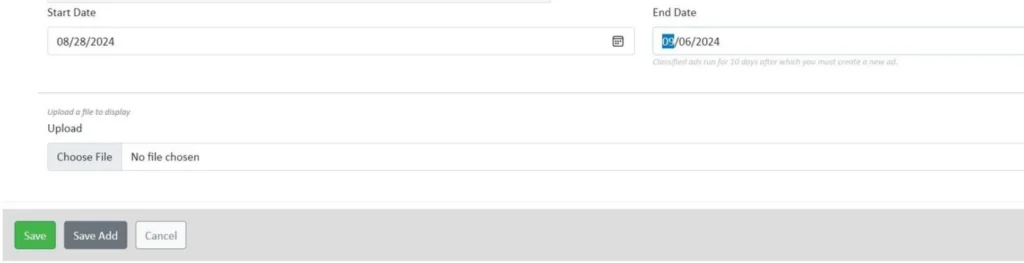
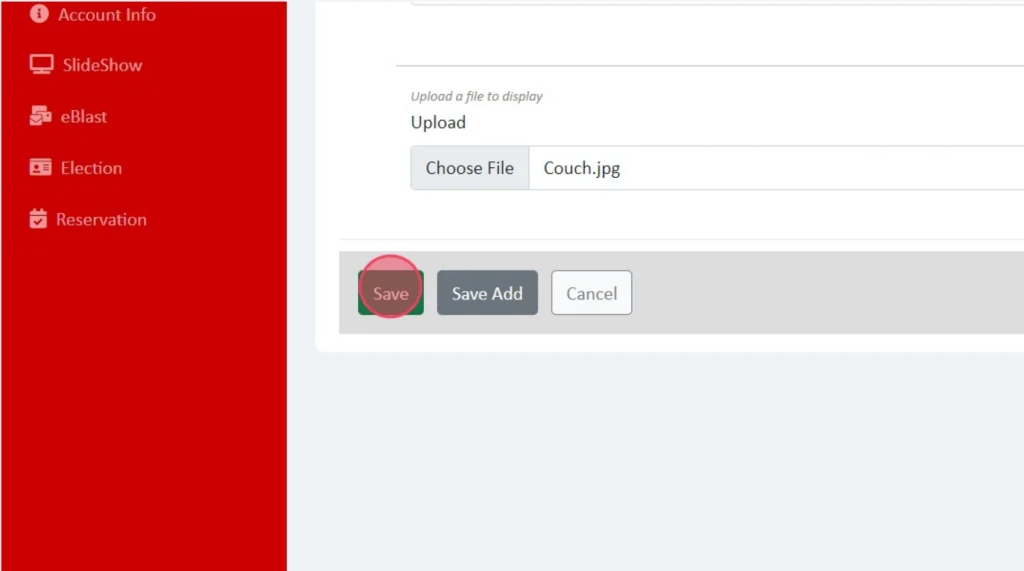
Using the File Upload field at the bottom, it will upload it as a link that will have to be opened in its own window. This is why we recommend embedding the image in the description.
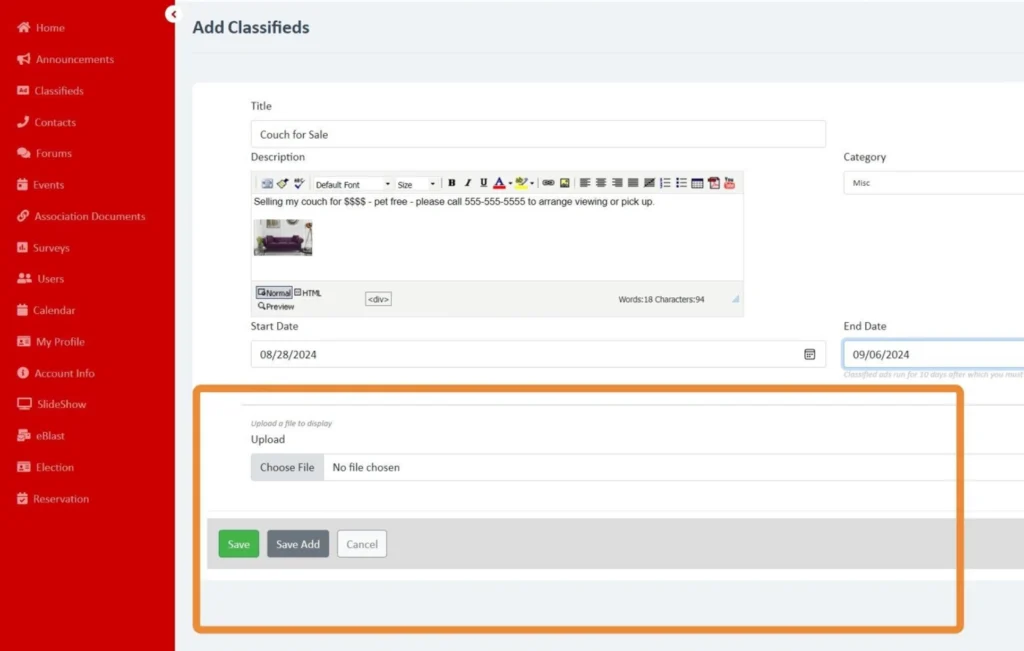
Once complete - press Save.
CWD Group understands your association’s needs better than anyone. We offer full-service community management in Oregon and Southern Washington.
Take the first step towards successful community management. Submit a request for proposal, and we will reach out to you for more information.